
Real meets do not run one heat at a time. While a heat is on the track, somebody is already lining up the next one in the chute. Staging is the job that does that in the app, and it is built around a single rule: the software should never be the reason the meet slows down.
Staging is one of two starting-line jobs
Everyone at the start joins in the Starting Line role, then picks a function on the start-line screen:
- Staging — builds heats: classification, heat style, lanes and bibs, and gets them out to the crew. Never fires the gun.
- Starter — brings a staged heat to the line and fires it. Never edits rosters.
One person can do both. Flip the selector between them; on a small meet this is the normal way to work. Two people can split them, one on each device, which is what a busy meet wants: the staging person works the chute while the starter works the gun, and neither waits on the other.
The stages a heat moves through
Each stage mirrors something happening out on the track:
| Stage | What it means |
|---|---|
| Staging | Being built in the form. Not yet sent to anyone. |
| On deck | Sent out. The finish crew, record keeper, and starter can all see it. |
| On the line | Armed. Blocks in, waiting for the gun. |
| Running | Gun fired. Runners on the track. |
| Collecting | Race over, results still coming in. |
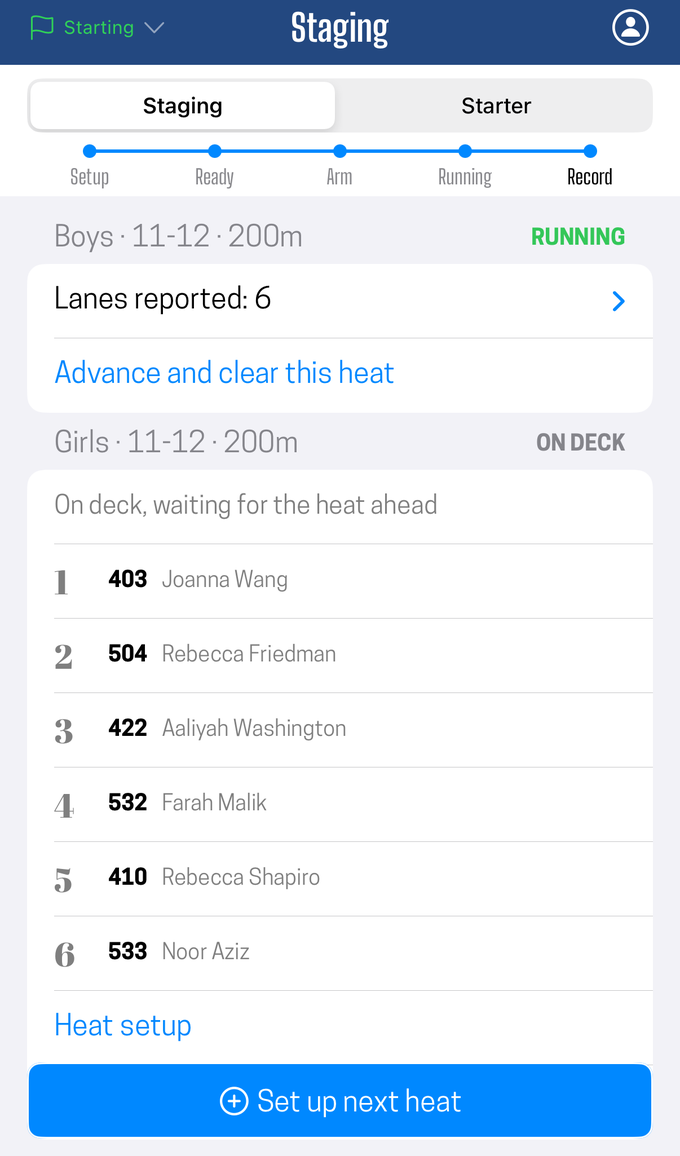
Several heats occupy these stages at once. That is the entire point.
Building a heat, with or without a sheet
If your meet has a heat sheet, Next on the heat sheet appears above the setup form. Tap it and the form fills itself in: event, gender, age group, the lane assignments, the competitors behind those bibs, and, for a pack heat, the expected field size.
If it does not, you build the heat directly, and Run another repeats the last heat's classification, which covers running heat after heat of the same event with no sheet at all.
Either way you land in the same form, with every field editable. A sheet is a head start, not a commitment.
Adjusting at the chute
This is where a heat sheet meets reality, and the answer is that the sheet always loses.
Whatever the plan said, what is standing in front of you is the field. So:
- Somebody did not show. Clear that lane and run the heat short. A heat with an open lane is a normal heat, not an error.
- Somebody showed up who is not on the sheet. Type their bib into a free lane. It does not have to be a bib the app recognizes; an unfamiliar number is flagged so you notice it, and that is all. It will not stop you sending the heat.
- Two athletes swapped lanes on their own. Swap the bibs to match. The lane is whatever you say it is.
- A visiting club is here but you do not know who is running. Leave the lanes open, or held for that club, and fill them in when the athletes appear.
- You do not know a bib at all. Leave it blank. The time gets captured either way and the identity can be attached afterward, which is the whole design of bib collection.
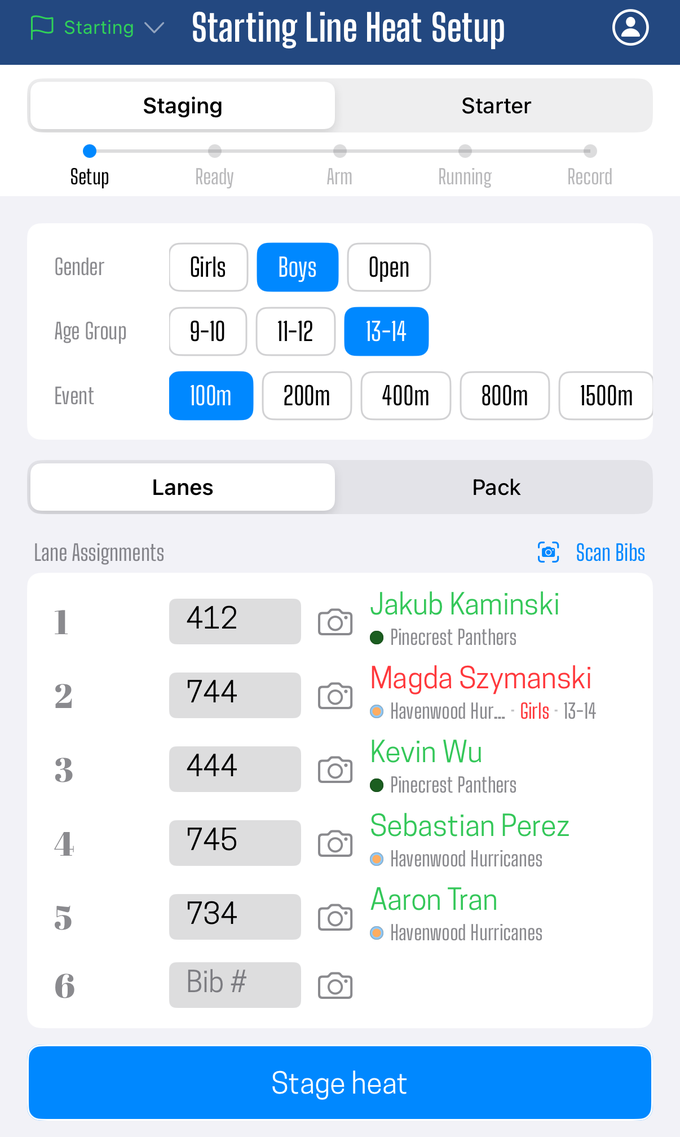
Photographing bibs at the chute is usually faster than typing them, and it leaves evidence behind for anything that needs sorting out later. See capture bibs with the camera.
Lining up the next heat while one is running
You do not have to wait for a heat to finish before starting the next one. You do not even have to wait for its results.
As soon as a heat is sent out, the form opens a fresh slot for the next one. Build it, send it, and it joins the on-deck line behind whatever is already out there. The starter's screen always shows the heat at the front of that line, so the order you send them in is the order they go off.
A few things worth knowing, all of which follow physical reality rather than restricting it:
- One heat is being built at a time. Send it and the next slot opens.
- One heat is on the line at a time. There is one starter and one gun.
- Two heats running at once is the practical ceiling, not an enforced one. The app will not stop you going past it. Beyond two, keeping track of which gun started which heat stops being something a person can do reliably.
- Any number can be waiting on deck, and any number can be collecting results.
Advancing is not the same as finishing. When you advance past a heat, it leaves your screen and keeps collecting results everywhere else. Only the record keeper finalizes a heat. So you are never stuck holding a heat open at the starting line because a finish timer has not reported yet.
That distinction is what lets the chute stay ahead of the track. Your job is loading the next race, not babysitting the last one.
Prompts, not roadblocks
The staging view will nudge you about when to load the next heat, timed to the current heat's distance: for sprints, the moment the gun fires; for distance events, once the pack settles. A "Stage the next heat" prompt appears and you can ignore it.
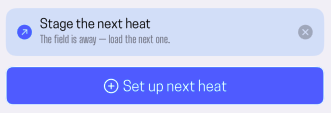
That is deliberate, and it holds throughout the app:
-
Readiness tells you something, it never stops you. You can see which lanes have reported ready. You are never blocked from arming or firing because one has not.
-
Nothing waits on the app. If the race is going, the race is going. A device that is slow, offline, or held by someone who stepped away cannot hold up a start.
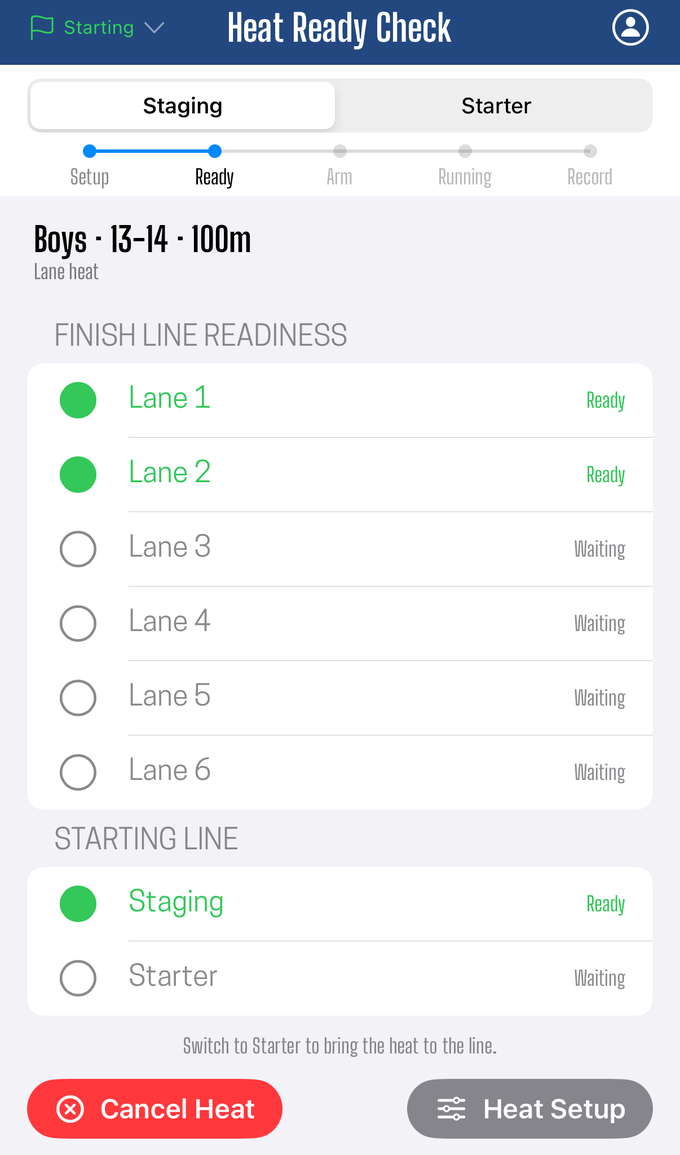
The app never has to approve something before it happens on the track. If the starter raises the gun, the heat starts, whatever any screen says. Every part of the timing system is built to catch up to what really happened rather than the other way around.
What staging does not do
- It does not seed. The order and composition of heats come from your sheet or from you.
- It does not fire the gun. That is the starter's function, even when the same person is doing both.
- It does not finalize results. Heats you have advanced past are the record keeper's from then on.
Did this answer your question? If something here is wrong, missing, or out of date, tell us at support@finishlinetimer.com and we’ll fix it.