
A relay is a lane heat with one difference that changes how bibs get collected: each lane holds a squad of runners, one per leg, and only one of them crosses the finish line. The finish crew can identify that runner, the anchor, the same way they would in a sprint. Nobody at the finish ever sees the lead-off or the middle legs, so their bibs have to come from somewhere else.
Only the anchor is captured at the finish
The finish line works exactly as it does for any lane heat. Each lane's finish timer captures a time and the bib attached to it, and in a relay that bib is the anchor's: the runner on the last leg, the one who actually finishes.
That is all the finish line ever deals with. The start line sends each lane's anchor to the finish timers and keeps the rest of the squad to itself, so a relay looks like a sprint to the people at the finish and nothing about their job changes. If the anchor's bib is entered or corrected at the finish, that becomes the squad's anchor.
Everyone else on the squad (legs 1 to 3 of a 4x100m, for example) is filled in at one of three other places, below. Any of them works, they can be mixed, and every leg is optional: a relay result with only the anchor known is still a complete, valid result.
Where the earlier legs come from
On the heat sheet, before the meet
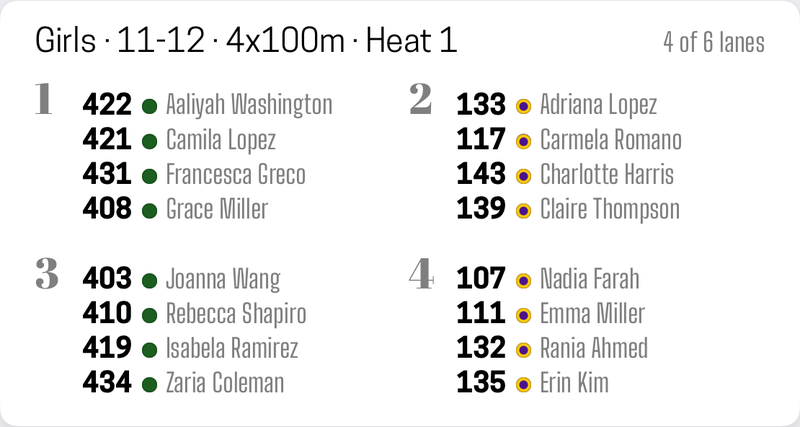
If you plan heats ahead on a heat sheet, picking a relay event turns the lane list into one section per leg, lead-off first and the anchor last. Fill in as much of each squad as you know. Coaches usually submit relay squads before the meet, which makes this the calmest place to do it.
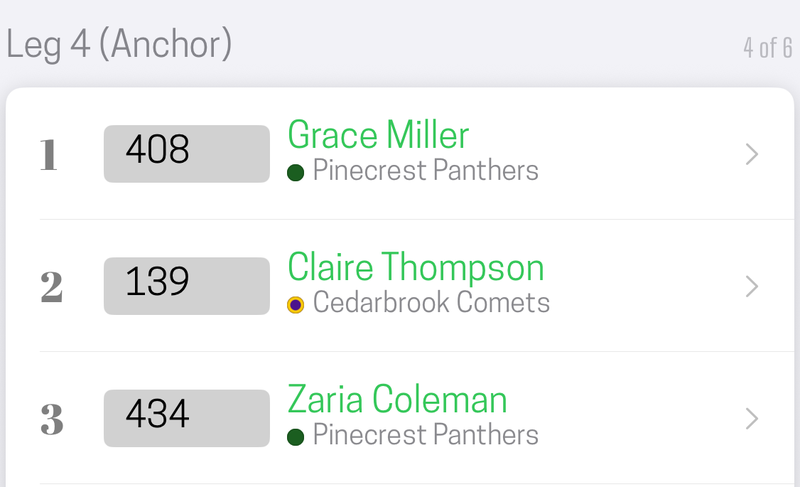
The sheet then shows each lane's squad in running order, with the anchor at the bottom:
Two mistakes get flagged as you type. The same athlete can't run two legs or two lanes, and a leg whose athlete is on a different team from the rest of the squad is marked Different team, because a squad is one team and a mismatch is almost always a typo.
At the starting line, while the squads report in
When the Staging person sets up a relay heat, the same leg sections appear, one per leg with a lane row for each squad. If the heat came from the sheet, the whole squad is already there. If it didn't, or a coach makes a late swap, this is where the change goes in.
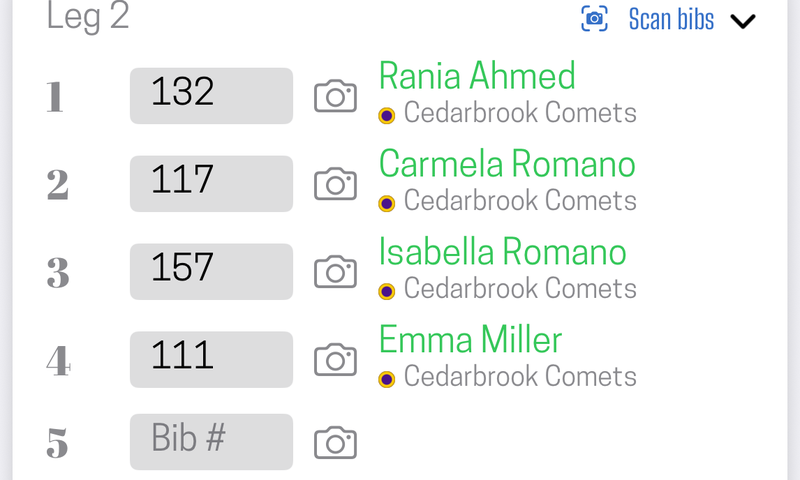
Work it one leg at a time across all the lanes, not one lane at a time. That matches how a relay actually lines up: all the lead-off runners are at the start together, and each later leg waits at its own exchange zone. Each leg's section has its own Scan bibs, so you can photograph the bibs of every lead-off runner in one sweep, then walk to the next exchange and do the next leg. The keypad's arrows step through the grid in the same order.
The start line flags a bib entered on two legs of the same squad, since one athlete can't run twice in a relay.
Practical tip: if you are short on volunteers, the lead-off leg is the easiest one to collect. Those runners are at the start with you. The anchor is captured at the finish anyway, so the middle legs are the only ones that need a trip to the exchange zones.
By the record keeper, after the race
The record keeper can fill in or correct any leg of any relay result, at any point until the heat is finalized. Opening a relay lane's result shows a Relay legs section listing every leg, with the anchor last and the squad's place underneath. A bib photographed at the start shows up beside its leg, so the record keeper can check a number against the picture.
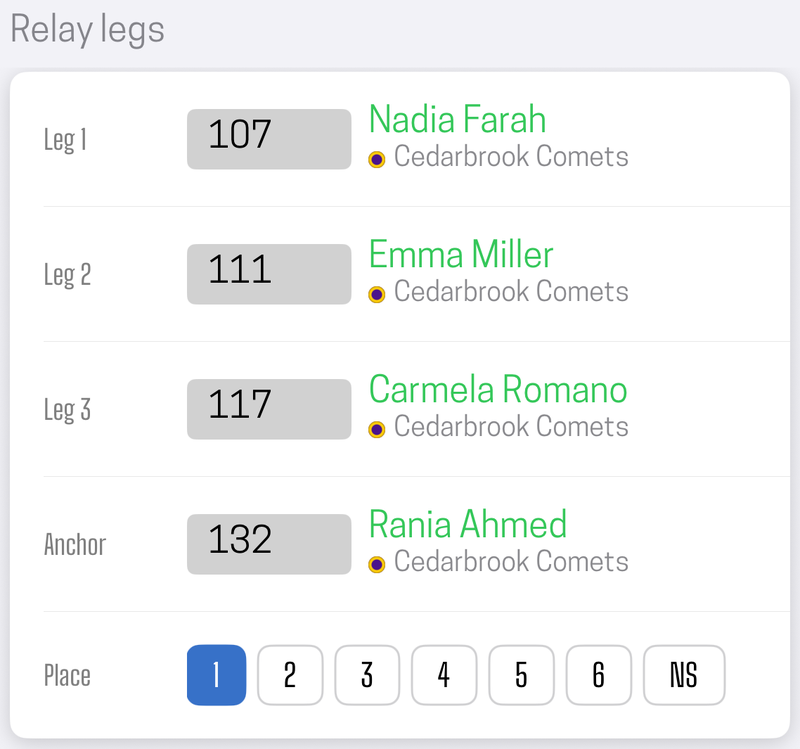
This is the backstop that makes the other two optional. If nobody had time to collect the middle legs at the meet, a coach's squad list handed over afterward is enough. Fill the legs in before you finalize the heat: a finalized heat takes no more edits.
What the results show
Relay results list the whole squad for each lane, in running order with the anchor last. The anchor's line carries the team name and the squad's time. A result where only the anchor is known shows that one runner, marked as the anchor. The squad appears as soon as the heat is sent out to the crew, so anyone following along sees who is running before the gun. Legs filled in later by the record keeper are added to the result when they are entered.
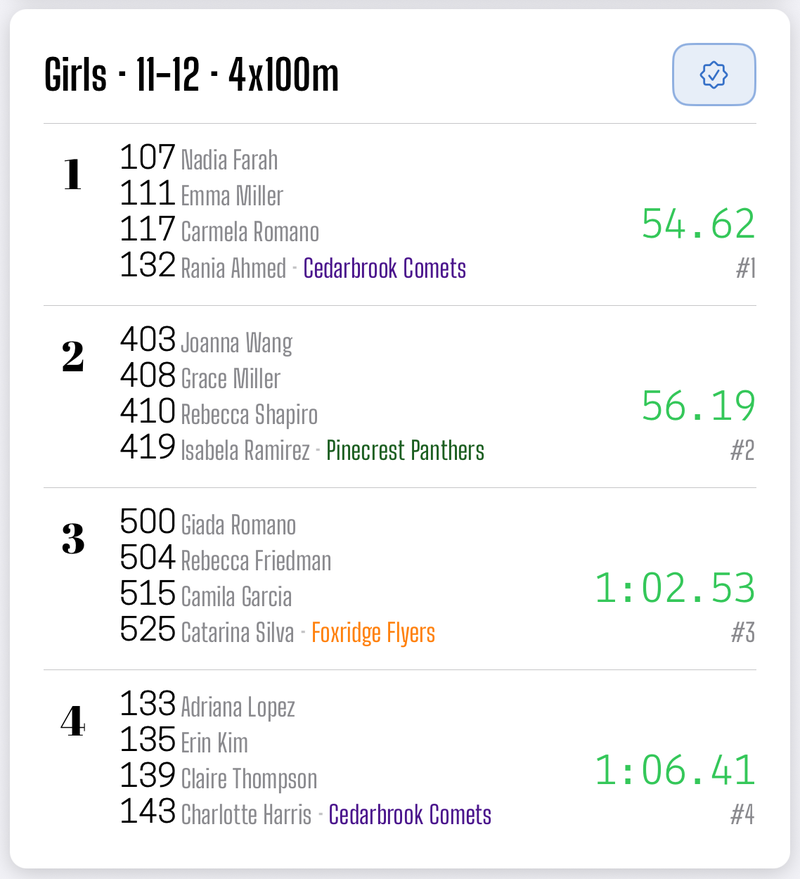
Public results follow the same name privacy setting as every other result, leg by leg, so a squad shows as initials unless the team owner has chosen otherwise. For exports, an export format can include a Relay Squad column, which lists every leg's name in running order rather than just the anchor's.
Running relays on your own
On the solo stopwatch, where there is no start line or record keeper, time the relay with its relay event selected, then tap the result under Results. Its Edit Result screen has the same Relay Legs section: one bib per leg, with the anchor being the finishing bib you captured. Fill in the rest whenever you have them.
Did this answer your question? If something here is wrong, missing, or out of date, tell us at support@finishlinetimer.com and we’ll fix it.